Can an AI agent run ComfyUI without a GPU? Yes — 15 images for about 13 cents.
Quick answer: Yes. You do not need a local graphics card to run ComfyUI. An AI agent (Claude Code) running in a terminal on a Windows laptop rented an Nvidia L4 GPU on Modal, kept the 18.6 GB of Krea 2 Turbo weights in a persistent volume, launched ComfyUI, generated 15 images and shut the instance down. The first image arrived after about 8 minutes, and the whole run came to about $0.13.
- $0.13run total, 15 images
- ≈8 minto the first image
- 18.6 GBweights in a volume
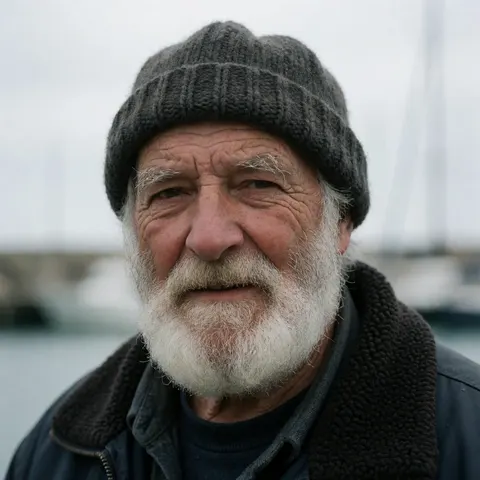
Krea 2 on a rented NVIDIA L4, set up by an AI agent from one paragraph. The kit below is the prompt, the skill file and the script we actually used.







Watch the episode
The whole job, start to finish: the paragraph I typed, the agent wiring up ComfyUI on a rented GPU, and the bill at the end.
Seven minutes twenty-five seconds. There was no GPU in my laptop at any point.
What's inside
SETUP-CHECKLIST.mdThe 5 human steps, including the $30 capAGENT-PROMPT.mdThe exact paragraph + a shorter one for the kitSKILL.mdSkill file for Claude and other agentskrea2_comfy.pyModal + ComfyUI + Krea 2 Turbo scriptprompts_batch.jsonThe 14 prompts from the batch runLICENSE-NOTES.mdWhat you can do with the images
Plain text and Python only. No installers, nothing to run blind.
Does ComfyUI really need a GPU?
No — but the model it runs does. The useful question is not whether you need a graphics card. It is whether you need to own one.
ComfyUI is the part people get wrong when they ask this. ComfyUI itself is a local application: a small interface that wires image models together, node by node, and hands them a prompt. It is light. It runs fine on a laptop.
What is not light is the thing you plug into it. In this episode that is Krea 2 Turbo, an image model. Generating a picture means running the same huge matrix of arithmetic hundreds of times in parallel, at a resolution and step count where the result looks like a photograph. That wants several gigabytes of video memory and a chip built for parallel work. A laptop with integrated graphics cannot do it in any reasonable amount of time, and ComfyUI cannot change that — it is not the bottleneck.
The part that opens up everything: the GPU does not have to sit under your desk. It can sit in a data centre, rented by the second, and you drive it over the same internet connection you are using now. Your laptop becomes a terminal. The heavy work happens somewhere else, on hardware you never buy and never maintain.
A local wiring board
A small app that connects model components into a graph and runs them. It needs an ordinary computer.
The diffusion model
Krea 2 Turbo does the heavy arithmetic. That is the piece that wants video memory and parallel cores.
Renting has a bill
Cloud GPUs are metered, and the meter runs while the machine is up, not only while it is generating. That is why the cap comes first.
If you do own a card with enough memory, the same ComfyUI graph runs locally and there is no bill at all. This page is about the other case: the laptop you already have.
How I did it, step by step
Eight steps, and only one of them involves money. The kit has the checklist and the script; this is the shape of the job.
- Make the cloud account and set the cap firstCreate an account with a GPU platform (I used Modal). GPUs need a payment method on file even to use the free monthly credit, so set a usage limit before anything else runs. Do this before you are tempted to skip it.
- Put the model weights in a Volume, onceThe three weight files that make up Krea 2 Turbo are large — about 18.6 GB. Cloud storage attached to the account (a Volume) keeps them, so the download happens once instead of every single run. This is the single biggest difference between a five-minute job and a very slow one.
- Point ComfyUI at that storageComfyUI will not let you mount storage on top of a folder that already has files in it. The way around it is a small text file,
extra_model_paths.yaml, that tells ComfyUI where the weights live. Every cloud recipe that skips this step ends up re-downloading. - Hand the agent one paragraphNo numbered steps, no configuration. The paragraph further down this page is the entire instruction. The agent installs the packages, points ComfyUI at the Volume, starts the server on the GPU and fixes its own errors as they come up.
- Probe on CPU before you spend anythingAsk for a check that the graph's node names all exist — the loaders, the sampler, the image encode and decode, the save node. A ten-second check that runs on a plain CPU is far cheaper than discovering a wrong loader name while the GPU meter is running.
- Get the one name rightThe text-encoder loader takes a type. For this model it is
krea2, notkrea. It is a one-character difference, and getting it wrong means every image errors out while you pay for the time. - Run the batch, then stop the machineComfyUI writes each finished image to
./outputs. When the batch is done the agent shuts the container down — a rented GPU that is still running is still costing money. - Check the work, then check the billLook at the images first, then open the platform's own billing page. Not the agent's summary of the bill — the actual page. That is the only number worth quoting.
The three weight files, for the record, are a diffusion model (krea2_turbo_fp8_scaled.safetensors), a text encoder (qwen3vl_4b_fp8_scaled.safetensors) and a VAE (qwen_image_vae.safetensors). That is the whole model — there is nothing else to track down.
The paragraph I gave my agent
This is it. Everything you see in the episode after this paragraph, the agent worked out on its own.
My laptop has no GPU. Use Modal to run ComfyUI with the Krea 2 Turbo model on a
cheap GPU. Keep the model weights in a Modal Volume so they only download once.
Then generate one image from this prompt and save it to ./outputs:
"a vintage film camera on a wooden desk by a window, soft morning light,
real photograph, 85mm lens".
When you're done, shut everything down and tell me what it cost.
Notice what is not in there: no loader names, no node settings, no cloud configuration, no cost management. None of that was my decision. The agent inspected the environment, picked the loaders that were actually available, and recovered from its own mistakes. The one thing I controlled is the spending cap in step one — which is deliberate, because that is the part I am not willing to delegate.
What went wrong the first time
Every one of these cost me time or money the first time round. They are all in the kit so your agent can skip them.
The download tax
The very first run is much slower than every run after it, because it pulls the whole 18.6 GB of weights down. Diagnose it once, put the weights in a Volume, and it never happens again. If your first batch looks broken, it is probably just this.
Storage that will not mount
Mounting a cloud Volume onto a folder that is already populated fails. The fix is extra_model_paths.yaml rather than copying files around. Skip it and you pay to download the same weights on every start.
krea versus krea2
The text-encoder loader's type string is krea2. With the wrong value, ComfyUI starts, accepts the graph, and fails on every image — while the GPU keeps billing. Confirm the node names on CPU first.
Negative prompts that do the opposite
At low guidance, listing what you do not want does not work, and the unwanted words leak into the result anyway. Assert the medium positively instead — "real photograph", "watercolour" — rather than "not an illustration".
The agent's cost was an estimate
My agent reported a cost taken from the platform's own estimate before billing settled, and the final bill disagreed — the real charge was higher. An agent's summary is a hint; the platform's billing page is the answer.
Text and counting
The first image came back with an extra dial on the camera and garbled lettering on the lens. Small text and exact counts are still where image models stumble. Check every frame before you use it; the model will not tell you.
A run that looks empty
The cloud CLI does not reliably print what a function returned, so a batch that actually succeeded can look like it did nothing at all. Make the script print its own result line and read the log file rather than the terminal.
A terms page that moved
A path in my own notes pointed at a terms page that now returns 404. The current one lives under a different path. Worth checking the terms you are actually agreeing to before you rely on them.
How to read the bill
If there is one thing to take from this episode, it is that "what did it cost" has a wrong answer and a right answer.
- GPUs are not billed alone. Cloud platforms meter the graphics card, the processor and the memory separately, and the graphics card is usually the smaller share than you would guess. Any figure that is "the GPU price times the hours" is an underestimate — that was my first mistake.
- Billed time is longer than generating time. The container is up before the first image and stays up a little after the last one, and you pay for that too. Short jobs pay proportionally more of it.
- The estimate is not the bill. Platforms show a running estimate, and it moves as billing settles. Read the settled number, on the platform's own page, before you tell anyone what it cost. Then say which one you are quoting.
- A free credit is a credit, not a free tier. The monthly credit only applies if there is a payment method on file; without one, GPU access is limited to a much smaller allowance. It is also a monthly allowance, not unlimited, and it can change.
- There are two different limits. A usage limit and a hard spend cap are separate settings. Set both, know which one you set, and do not assume either is at zero when you sign up.
- Your numbers will not equal mine. Hardware, model, resolution, step count and idle time all move the total. That is exactly why the kit points you at the settings instead of at a figure.
The licence, in one line
Krea 2's weights are published as open weights under the Krea 2 Community License. The clause that matters commercially: you may use what you generate commercially while your company's annual revenue is under $1,000,000 USD. Above that, talk to them first.
Two details that catch people out. The images you generate are yours — the weights are not, and the licence travels with them. And the copy of the weights we used is the community repackaging for ComfyUI, which downloads without a gate; that does not reduce any of the licence obligations. Open weights are not the same as public domain.
This is a summary for orientation, not legal advice. The licence in force when you run it is the one to read.
Costs & catches
Checked on 2026-09-30. Prices and limits can change.
- Modal needs a card on file to use GPUs. Without one, runs stop with "Please add a payment method" (we tested a fresh account). With a card you get $30/month of free credit.
- The usage limit is yours to set. On my account it was one I had set myself; I don't know what a brand-new account starts with, so read yours on the billing page. The usage page says the limit can be raised as high as $42.50; there is also a separate, harder spend limit on the same page. Set both to $30, the monthly free credit, before your first run. The checklist shows where.
- My run: 15 images for about 13 cents. The first image is the expensive one, because the model has to load; after that the cost per image drops. A second run from Meta Muse's cloud computer is in the video as well. Your numbers will differ, and the exact on-screen figures are in the video.
- The agent made mistakes. It quoted the cost from the platform's running estimate before billing settled, so the number it gave me was optimistic. The first image also came back with an extra dial and garbled lens text. Check its work.
- Krea 2 license: commercial use only while your company's annual revenue is under $1,000,000 USD.
- Not sponsored by Modal or Krea. You use your own Modal account and pay Modal directly.
Questions about running ComfyUI through an agent
Short answers from the run on 2026-09-30. Where a number is not ours, we say so.
How can I run ComfyUI if my computer doesn't have a dedicated GPU?
Rent a cloud GPU by the second instead of buying a card. Your laptop only runs the agent and the script; the model runs on the rented machine, and you stop the machine when the run is over. On Modal an Nvidia L4 is listed at $0.000222 per second, with the processor, the memory and the storage metered separately. We measured one platform, once — the cost comparison page has the list prices for the others, with the date each was read.
How much did the 15 images actually cost?
15 images for about 13 cents. The first image is the expensive one, because the model has to load; after that the cost per image drops. One trap: the agent quoted a figure from the platform's running estimate before billing settled, and the settled bill disagreed. Read the platform's own billing page, not the agent's summary.
Is it safe to give an AI agent my cloud GPU account token?
Set a usage limit first, keep the token scoped to your workspace, and never give an agent your main account password. The spending cap is the one part of this job we would not hand over, and the kit's checklist shows where that setting lives.
Do I need to know how to code to use Claude Code for ComfyUI?
No. The whole instruction was one plain-English paragraph, reproduced on this page. The agent installed the packages, pointed ComfyUI at the storage, started the server on the GPU and recovered from its own errors. The two jobs that stayed with us were approving the login and setting the cap.
What are the commercial licensing terms for Krea 2 Turbo?
The weights are published under the Krea 2 Community License. The clause that matters commercially: you may use what you generate commercially while your company's annual revenue is under $1,000,000 USD. Note that the images are yours but the weights are not, and open weights are not the same as public domain. This is a summary for orientation, not legal advice; the licence in force when you run it is the one to read.
Next: episode 2 runs the same job through Meta's Muse, an agent that works on its own cloud computer, so there is no terminal on your side at all. Read how that went, and what it cost.
Want more small tools for your agent?
Skills are single-purpose tools with a free edition and a full package. Browse the skills.